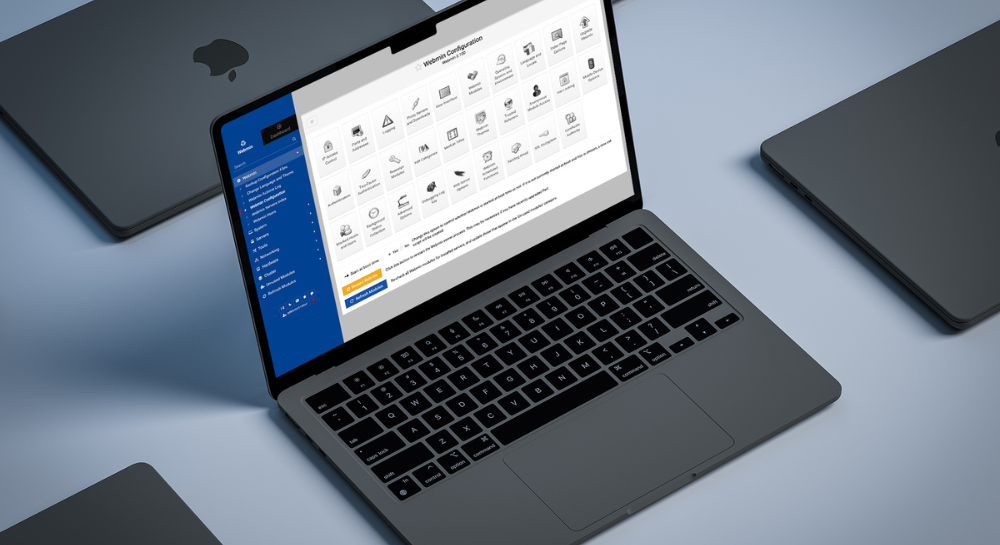
Data Security Enhancements in FileMaker Cloud and Server

FileMaker 2025 brings a new level of security to both FileMaker Cloud and FileMaker Server, delivering critical enhancements in encryption, SSL handling, and API authentication. These updates are designed to help organizations strengthen data protection and meet stringent compliance requirements, including HIPAA, GDPR, and enterprise-grade security standards.

Whether deployed on-premises or in the cloud, FileMaker 2025 ensures that your sensitive business data stays safe, encrypted, and under your control.

Stronger Encryption and Data Protection

FileMaker 2025 enhances encryption protocols for both data at rest and data in transit. Improved key management and modern cipher support ensure that databases, backups, and network communications maintain top-tier protection.

For organizations managing confidential information—such as healthcare providers, financial institutions, and manufacturers—these encryption upgrades reinforce compliance with global privacy laws and data protection frameworks.

Simplified SSL Management with Let’s Encrypt

Setting up SSL certificates has historically been a challenge for administrators. FileMaker Server 2025 streamlines this process with Let’s Encrypt integration, allowing certificates to be issued and renewed automatically.

This eliminates the need for manual SSL management while ensuring that all connections remain encrypted and compliant with modern browser and network security requirements.

Benefits include:

  • Automatic SSL issuance and renewal

  • Reduced configuration errors

  • Continuous, secure connections across all deployments

Token-Based API Access for Secure Integrations

Both FileMaker Cloud and FileMaker Server now support token-based authentication for API access, replacing static credentials with dynamic, revocable tokens.

This approach enhances integration security by ensuring that credentials:

  • Expire automatically after a defined period

  • Can be scoped to specific permissions or resources

  • Are easily revoked if compromised

Token-based authentication reduces the attack surface and makes it easier to comply with HIPAA and GDPR requirements for data access auditing and control.

Compliance Made Easier

With these security upgrades, FileMaker 2025 provides organizations with a compliance-ready foundation. Key benefits include:

  • Encrypted data across all layers—storage, transfer, and access

  • Automated SSL configuration to prevent mismanagement

  • Secure, auditable API integrations using short-lived tokens

For industries handling sensitive personal or operational data, these improvements simplify compliance management without sacrificing performance or flexibility.

FileMaker 2025’s security enhancements in Cloud and Server reflect Claris’s continued commitment to protecting business-critical information. With improved encryption, automatic SSL handling, and token-based API access, organizations can maintain compliance and operate confidently in highly regulated environments.

Want to strengthen your FileMaker security posture or validate your setup for HIPAA or GDPR compliance? Reach out to Kyo Logic here.


New JSON Functions in FileMaker 2024/2025: What Developers Need to Know

New JSON Functions in FileMaker 2024/2025: What Developers Need to Know

With the release of FileMaker 2024 and 2025, Claris has significantly expanded its native JSON functions, making it easier for developers to work with structured data, integrate APIs, and build modern, scalable FileMaker solutions.

If you’re building or maintaining a FileMaker system, understanding these new JSON capabilities is essential to creating faster, more efficient, and more integrated applications.

Why JSON is a Big Deal in FileMaker

JSON is the data format of modern web services, APIs, OData and cloud platforms. FileMaker’s JSON functions let you generate, parse, and manipulate JSON directly within calculations and scripts.

If you want to:

  • Integrate with third-party APIs

  • Build flexible data structures

  • Communicate data more effectively within all FileMaker applications

  • Power Claris Connect and Event-Driven Connect workflows

…you need to master FileMaker’s JSON tools.

What’s New in FileMaker 2024 and 2025 for JSON

The most effective patterns combine newer capabilities like JSONGetElementType (2024) and the 2025 performance gains with long‑standing JSON toolsJSONListKeys, JSONListValues, JSONSetElement, and JSONGetElement. Use the newer functions to validate/branch, and the established ones to iterate, extract, and assemble payloads.

JSONGetElementType (2024)

  • Purpose: Returns the data type of a specified JSON element.

  • Why it matters: Lets you dynamically validate or branch logic based on whether a JSON value is an object, array, string, number, or boolean.

Set Variable [ $payload ; Value:

    “{ \”customer\”: { \”name\”: \”Alice\”, \”age\”: 30, \”address\”: { \”city\”: \”Boston\” } } }”

]


Set Variable [ $elementType ;

    Value: JSONGetElementType ( $payload ; “customer.address” )

]

// Returns: “object”

JSONListKeys (2018)

  • Purpose: Returns a list of all keys in a JSON object.

  • Why it matters: Essential for iterating through dynamic JSON objects when you don’t know the keys ahead of time.

Set Variable [ $payload ; Value:

    “{ \”customer\”: { \”name\”: \”Alice\”, \”age\”: 30, \”email\”: \”alice@example.com\” } }”

]


Set Variable [ $keys ;

    Value: JSONListKeys ( $payload ; “customer” )

]


// $keys returns:

// name

// age

// email

JSONListValues (2018)

  • Purpose: Returns a list of all values in a JSON object or array.

  • Why it matters: Simplifies extracting data from APIs or nested JSON arrays without needing to parse each element manually.

Set Variable [ $payload ; Value:

    “{ \”orders\”: [ \”Order001\”, \”Order002\”, \”Order003\” ] }”

]


Set Variable [ $values ;

    Value: JSONListValues ( $payload ; “orders” )

]


// $values returns:

// Order001

// Order002

// Order003


Improved Performance (2025)

  • Parsing and manipulating large JSON objects is faster and more memory-efficient in FileMaker 2025.

  • This is critical when handling big API responses or storing complex JSON in fields.


Practical Use Cases for Developers

1. API Integrations

When calling external APIs, these new functions make it easier to:

  • Parse API responses dynamically.

  • Validate data types before inserting into records.

  • Log errors or unexpected responses.

Example:

Set Variable [ $apiResponse ; Value: “{ \”status\”: \”success\”, \”data\”: { \”id\”: 123, \”amount\”: 49.99 } }” ]


If [ JSONGetElementType ( $apiResponse ; “data” ) = “object” ]

    Set Variable [ $transactionID ; Value: JSONGetElement ( $apiResponse ; “data.id” ) ]

    Set Variable [ $amount ; Value: JSONGetElement ( $apiResponse ; “data.amount” ) ]

End If

2. Dynamic UI Generation

  • Use JSONListKeys to build dynamic interfaces or repeat portals based on the number of returned fields.

Example:

Set Variable [ $fields ; Value: JSONListKeys ( $payload ; “customer” ) ]

Set Variable [ $fieldCount ; Value: ValueCount ( $fields ) ]


# Use $fieldCount to dynamically generate UI elements.

3. Claris Connect Workflows

  • Event-Driven Connect payloads rely on JSON—these functions help you parse incoming data and route it appropriately.

Example:

Set Variable [ $payload ; Value: Get(ScriptParameter) ]

Set Variable [ $eventType ; Value: JSONGetElement ( $payload ; “event.type” ) ]


If [ $eventType = “customer_update” ]

    # Process customer update logic

End If

4. Data Storage and Flexibility

  • Instead of creating new tables for every data variation, store flexible JSON blobs that can adapt as your data structures evolve.

Example:

Set Field [ Customer::Metadata ; JSONSetElement ( “” ;

    [ “preferences.newsletter” ; “true” ; JSONBoolean ] ;

    [ “preferences.language” ; “en” ; JSONString ]

)]


Quick Reference Table

Function

Introduced

Use Case

JSONGetElementType

2024

Validate data types

JSONListKeys

2018

Retrieve dynamic object keys

JSONListValues

2018

Extract lists of values


Developer Tip

When working with external APIs, combine these new JSON functions with Try / Catch scripting patterns, data validation routines, and robust error logging to ensure your integrations are stable and reliable.

Ready to Build Smarter with JSON?

If you’re maintaining an older FileMaker system, you’re missing out on these time-saving, game-changing functions. Contact us to discuss upgrading your solution or building new integrations powered by FileMaker 2025’s JSON toolkit.

Need help with your next integration? Let’s modernize your FileMaker environment today.


Building AI-Enhanced Workflows Across Your Organization

With FileMaker 2025, AI is no longer confined to individual apps. By combining Claris FileMaker’s native LLM capabilities with Claris Connect’s automation engine, organizations can now build end-to-end workflows that span multiple systems—without relying on extra middleware or third-party tools. This means you can harness AI to not only make smarter decisions inside FileMaker but also trigger actions across your broader tech stack.

From Single App to Multi-System Intelligence

In previous versions, AI-powered features were mostly limited to in-app tasks like summarizing records or generating content. With Claris Connect, those capabilities extend outward. A single AI trigger inside FileMaker can now launch processes across apps such as Slack, Google Sheets, Outlook, or a CRM—turning your database into an intelligent hub for your entire organization.

Examples of AI-Enhanced Workflows

  • Lead Intake: A prospect fills out a form in Claris Studio. FileMaker captures the record, uses an AI script to summarize or score the lead, then Claris Connect posts the summary to Slack and updates a Google Sheet.

  • Document Review: Contracts stored in FileMaker are run through AI to extract key terms. Claris Connect automatically sends flagged items to your legal team’s email queue for review.

  • Customer Support: AI summarizes incoming support tickets and routes them to the right department via Teams or Slack.

These kinds of workflows reduce manual effort, improve accuracy, and keep information flowing in real time.

No Extra Tools, No Extra Overhead

Because both FileMaker’s LLM features and Claris Connect’s automation are built into the Claris ecosystem, you don’t need additional APIs or subscription services to get started. Data stays inside your trusted environment while still connecting seamlessly to the systems your teams use every day.

Why It Matters

Bringing AI-enhanced workflows across your organization means:

  • Faster decisions by automating repetitive, multi-step processes

  • More consistent outcomes through standardized AI prompts and triggers

  • Reduced integration costs by eliminating separate middleware

  • Stronger data governance since sensitive information stays in FileMaker

With FileMaker 2025 and Claris Connect, AI becomes more than a feature—it becomes the backbone of cross-system workflows. From intake and scoring to document routing and reporting, you can build intelligent, automated processes that scale across your entire organization without leaving the Claris platform.

Interested in building AI-enhanced workflows tailored to your business? Reach out to Kyo Logic here.


Can Your FileMaker Do This: FileMaker vs AI Built Apps vs Enterprise Suites Guide

Can Your FileMaker Do This? FileMaker, AI-Built Apps, and Enterprise Suites: A Practical Guide

Teams have great options today. Enterprise suites like Salesforce or Oracle bring breadth and governance. AI-built apps (custom code with GPT-style copilots) offer full creative freedom. FileMaker 2025 (with Claris Studio + Claris Connect) adds a low-code layer for the everyday work: forms, approvals, exceptions, and quick changes.

This is about picking the right tool and helping them work well together.

The Landscape (What Each Does Best)

Enterprise Suites (Salesforce/Oracle/etc.)
Ideal as systems of record with strong data models, compliance, and mature ecosystems. Strong for standardized processes that don’t change often.

AI-Built Apps (custom code + copilots)
Great for new experiences and bespoke logic when you want full UI freedom or internet-scale delivery.

FileMaker 2025 (with Studio + Connect)
A natural fit as the operations layer for departmental workflows, field capture, and dashboards (the work that shifts month to month and involves real people and real context).

Why FileMaker (What It Does Uniquely Well)

  • Operations-in-a-box: Data, UI, scripts, and security in one place, so changes are fast and safe.

  • Governed agility: Roles, logging, and auditable changes without a sprawling codebase.

  • Field-ready inputs: FileMaker Go + Claris Studio handle photos, scans, GPS, signatures. No custom app required.

  • Event-driven automation: Event-Driven Connect turns record changes into Slack/Teams alerts, tickets, emails, and documents.

  • Standards at the edge: OData (Power BI), Data API/eDAPI, and JSON for clean hand-offs to the broader stack.

  • Incremental modernization: Keep Salesforce/Oracle steady; add FileMaker where hands-on work happens. Quick wins, low disruption.

Who tends to benefit most

  • Departments of 10–200 daily users (Ops, Supply Chain, Field Service, QA, Facilities, Finance Ops)

  • Teams juggling spreadsheets, email approvals, and plug-ins

  • Organizations that need mobile/web data capture without funding a full custom app build

Where Each Typically Wins

Enterprise suites are strong for: deep modules (CPQ/ERP), strict compliance, global scale with unified governance.

AI-built apps are strong for: highly branded, external-facing portals; novel algorithms/services; full framework freedom.

FileMaker is strong for: rapidly evolving or highly custom internal workflows, immediate field capture, event-driven automations, and fast time-to-value.

How FileMaker Works Alongside Salesforce/Oracle

Common patterns

  • Keep the system of record in Salesforce/Oracle.

  • Use FileMaker as a system of engagement where people enter, review, approve, and act.

  • Bridge them with:

    • Claris Connect for “when X happens → do Y” workflows

    • Data API/eDAPI for JSON hand-offs

    • OData for analytics in Power BI/Tableau

    • SSO (Okta/Azure AD) for unified identity

Example flows

  • Case Management: A case in Salesforce triggers a FileMaker triage workspace (Studio forms + dashboards); updates return to Salesforce.

  • Manufacturing/Logistics: Oracle holds inventory; FileMaker handles receiving, QC, and exceptions on the floor; results sync back via Connect/Data API.

  • Healthcare/Education: Core records live in the suite; FileMaker covers mobile intake, audits, and scheduling with role-based access.

Quick Start (Non-Technical)

  1. Choose one pain point outside the suite (spreadsheets, email approvals, field capture).

  2. Mirror the workflow in FileMaker/Studio: one browser form + one small dashboard.

  3. Connect to Salesforce/Oracle via Connect or Data API (start one-way, then add updates).

  4. Trigger actions on events (status change → Slack/Teams → ticket/doc/email).

  5. Pilot for two weeks and measure time saved, fewer errors, and faster visibility.

Next step: Want to see how this can look in your environment? We can stand up one FileMaker/Studio workflow, one automation, and one suite integration so you can evaluate impact before scaling.


Smarter Deployment for FileMaker Server: JSON Parsing, SSL, and Admin API Improvements

FileMaker 2025 isn’t just about AI and UI upgrades—it also delivers critical improvements to FileMaker Server, giving IT teams more speed, security, and control over deployments. From faster JSON handling to simpler SSL setup and expanded Admin API functions, this release makes running FileMaker Server more efficient and less of a headache.

Faster JSON Parsing and Schema Patching

FileMaker Server 2025 introduces major performance gains in JSON parsing, making data exchange and API-driven workflows significantly faster. For solutions relying on web services, integrations, or heavy JSON payloads, these improvements mean quicker response times and more reliable performance.

Additionally, new schema patching tools make it easier to apply updates to layouts and structures without full rebuilds—helping teams maintain uptime and reduce disruption during upgrades.

Let’s Encrypt SSL Integration

SSL setup has historically been one of the trickier parts of FileMaker Server deployment. With built-in Let’s Encrypt support, SSL certificates can now be generated and renewed automatically. This dramatically simplifies secure deployment and ensures connections remain compliant without manual certificate management.

Expanded Admin API Functions

The Admin API also sees important new capabilities in FileMaker 2025, giving administrators finer control over server performance and behavior. New functions include:

  • Flush pages to manage cache and improve responsiveness

  • Script engine control for better process management

  • Additional insights for monitoring and diagnostics

For IT teams, these expanded tools provide better visibility and more proactive management options without needing to dive into the command line.

Why These Server Updates Matter

For businesses running mission-critical solutions, these enhancements reduce complexity and risk:

  • Faster JSON parsing improves integrations and web app performance

  • Schema patching shortens upgrade cycles

  • Automated SSL ensures secure connections with minimal effort

  • New Admin API controls give IT teams the flexibility they need to keep systems running smoothly

FileMaker Server 2025 brings meaningful improvements that simplify deployment, boost performance, and strengthen security. These updates help IT teams spend less time on maintenance and more time on delivering value to end users.

Interested in optimizing your FileMaker Server environment? Reach out to Kyo Logic here.


Publish FileMaker Data to the Web with Claris Studio Views

Sharing FileMaker data outside your core system—whether with clients, vendors, or remote teams—has traditionally required custom development or third-party tools. But with Claris Studio Views, publishing FileMaker data to the web is now simple, secure, and seamless.

Claris Studio lets you expose selected FileMaker records in read-only or editable web views. These views can be shared internally for collaboration or externally as client portals, giving the right people access to the right data—without giving them full access to your FileMaker app.

The Challenge of External Data Sharing

FileMaker is powerful for internal workflows, but sharing data with those outside your system (or even across teams) can be tricky:

  • PDF Reports Go Out of Date – Static exports quickly become inaccurate.

  • Custom Portals Take Time to Build – Web publishing has often meant hiring a developer.

  • Security Concerns – Granting external access to FileMaker files can raise risks.

  • Limited Collaboration – External users often can’t contribute feedback or updates directly.

Claris Studio solves these challenges by giving FileMaker users a simple, web-based way to present and manage data—selectively and securely.

How Claris Studio Views Work

Claris Studio connects directly to your FileMaker data and lets you create browser-based views of selected records. Features include:

  • Read-Only or Editable Views
    Choose whether users can view data only or submit edits and updates to FileMaker.

  • Secure, Shared Access
    Generate shareable links or restrict access to authenticated users—perfect for partners, clients, or off-site teams.

  • Custom Layouts and Filters
    Display only the fields, records, or categories you choose—keeping sensitive data protected.

  • Live Data Sync
    Views reflect real-time FileMaker data. Changes made in FileMaker (or via editable views) appear immediately.

  • No Coding Required
    Create, configure, and publish views using Claris Studio’s intuitive interface—no dev time needed.

Use Cases for Web-Based FileMaker Views

  • Client Portals – Let customers check project status, invoice history, or order progress in real time.

  • Vendor Dashboards – Share production schedules, material specs, or delivery timelines.

  • Internal Collaboration – Give departments outside FileMaker access to specific data for reporting or updates.

  • Data Collection – Allow external users to edit or submit updates that sync directly to FileMaker.

Claris Studio turns FileMaker into a collaborative platform—both inside and outside your organization.

Claris Studio Views make it easy to publish FileMaker data to the web—securely and selectively. Whether you’re building external portals or streamlining internal collaboration, Studio Views give you control over what data is shared, who sees it, and how it stays updated. Interested to learn more about how Claris Studio and Claris FileMaker can solve for secure web-based data sharing? Reach out to Kyo Logic here.

Medical Clinic Logistics: Supporting Multiple Languages with FileMaker

Multilingual support is critical for medical clinics. Patients and staff may speak different languages, and ensuring clear communication is essential for accurate data collection, efficient workflows, and high-quality patient care. FileMaker stands out as a versatile platform that supports multiple languages, including English and Spanish, enabling medical clinics to better serve their communities.

Why Multilingual Support Matters

  1. Enhanced Patient Care: Language barriers can lead to misunderstandings, missed details, and frustration. Supporting multiple languages ensures that patients can provide accurate medical histories, understand treatment plans, and feel valued.

  2. Inclusive Work Environments: Clinics with bilingual or multilingual staff benefit from tools that support seamless communication in their preferred languages, fostering collaboration and reducing errors.

  3. Regulatory Compliance: Some regions mandate multilingual documentation for healthcare providers to accommodate non-English-speaking populations, ensuring accessibility and compliance.

How FileMaker Supports Multiple Languages

FileMaker simplifies multilingual operations with its customizable interface and database design:

  • Localized Forms and Interfaces: Create patient intake forms, medical history forms, and administrative dashboards in English, Spanish, or other languages to meet patient and staff needs.

  • Dynamic Language Switching: FileMaker solutions can include dropdown menus or toggles for users to switch between languages effortlessly.

  • Integrated Translation Tools: Combine FileMaker with translation APIs or third-party tools to dynamically translate data fields or instructions.

Benefits of Using FileMaker for Multilingual Support

  1. Improved Accessibility: Patients can interact with forms and portals in their preferred language, enhancing their experience and improving data accuracy.

  2. Reduced Errors: Staff can work in their native language, minimizing misunderstandings in critical workflows.

  3. Community Impact: Offering services in multiple languages demonstrates cultural sensitivity, fostering trust and loyalty within diverse populations.

Multilingual support is essential for modern medical clinics, and FileMaker’s flexibility makes it an ideal platform for bridging language gaps. Whether you’re designing bilingual patient forms or enabling staff to work seamlessly in English and Spanish, FileMaker empowers clinics to deliver inclusive, efficient care.


At Kyo Logic, we specialize in tailoring FileMaker solutions to meet the unique needs of medical clinics. Contact us today to learn how we can help your clinic implement effective multilingual support.

Maximizing Manufacturing Efficiency with Custom ERP Solutions

Efficiency is everything. The ability to streamline operations, minimize downtime, and increase productivity directly impacts a company’s bottom line. With ever-evolving industry demands, manufacturers require systems that can keep up with their unique production workflows. This is where custom ERP solutions (Enterprise Resource Planning) come into play. Custom ERP solutions provide automated business solutions that are tailored to the specific needs of your manufacturing operation, integrating everything from supply chain management to custom CRM solutions, ensuring maximum manufacturing efficiency.

The Importance of Custom ERP Solutions for Manufacturing

A custom ERP solution is a comprehensive software platform designed to integrate and manage all core business processes in real-time. Unlike generic ERP systems, custom ERP solutions are tailored to meet the specific workflows and operational needs of your business.

In the manufacturing sector, this customization is crucial because manufacturers deal with complex processes, such as inventory management, production planning, and quality control. By integrating these functions into a single platform, custom ERP systems provide manufacturers with a unified view of their entire operation, making it easier to manage resources, forecast production needs, and respond to changing market conditions.

Key benefits of custom ERP solutions include:

  • Streamlining Operations: By centralizing all operational processes, custom ERP solutions eliminate the need for multiple, disconnected systems. This integration leads to improved communication between departments, faster decision-making, and greater overall efficiency.

  • Reducing Downtime: With real-time monitoring and automation, custom ERP systems can predict potential issues and alert management before they cause significant disruptions. This predictive maintenance capability helps to reduce equipment downtime and keeps production lines running smoothly.

  • Increasing Productivity: By automating routine tasks and improving workflow visibility, custom ERP solutions enable employees to focus on higher-value activities. This not only boosts productivity but also improves the overall quality of the final product.


Tailoring ERP Systems to Meet Specific Manufacturing Workflows

One of the biggest advantages of custom ERP solutions is the ability to tailor the system to fit the unique demands of your manufacturing process. No two manufacturers are alike, and off-the-shelf ERP systems often fail to meet the specific needs of each business. A custom ERP system, on the other hand, is designed with your workflows in mind, ensuring that it aligns with your operational goals.

Here’s why tailoring ERP systems is essential for maximizing manufacturing efficiency:

  1. Flexibility for Industry-Specific Requirements: Manufacturing businesses operate in a variety of sectors—automotive, aerospace, electronics, consumer goods, and more. Each sector has its own set of regulatory requirements, production standards, and challenges. A custom ERP system can be designed to meet these specific requirements, ensuring that compliance and operational efficiency go hand in hand.

  2. Optimizing Production Workflows: Custom ERP solutions allow manufacturers to map out and automate their unique production workflows. From raw material procurement to finished product delivery, each stage can be tracked and optimized for efficiency. With real-time data on production performance, manufacturers can quickly identify bottlenecks, make adjustments, and improve throughput.

  3. Enhanced Inventory Management: Inventory management is a critical component of manufacturing efficiency. Too much inventory ties up capital, while too little can cause production delays. Custom ERP solutions offer advanced inventory tracking and forecasting tools that ensure manufacturers maintain the optimal inventory levels to meet demand without overstocking.

  4. Integration with Automated Business Solutions: Many manufacturers are implementing automated business solutions, such as robotics and IoT (Internet of Things) devices, to improve efficiency. A custom ERP system can seamlessly integrate with these technologies, providing real-time data and automation across the entire production process. This leads to better resource allocation, more accurate demand forecasting, and faster time to market.


How Custom CRM Solutions Contribute to Manufacturing Efficiency

In addition to managing production workflows, a custom ERP solution can also integrate with custom CRM solutions to enhance customer relationship management. This is particularly important in industries where manufacturers work closely with clients to meet specific product specifications or timelines.

Here’s how custom CRM solutions play a role in boosting manufacturing efficiency:

  • Streamlined Client Communication: A custom CRM allows manufacturers to track all interactions with clients in real-time, ensuring that production schedules are aligned with customer expectations. This improves communication and helps manufacturers meet delivery deadlines without compromising quality.

  • Demand Forecasting: By analyzing customer data, custom CRM solutions can help manufacturers anticipate future demand, allowing them to adjust production schedules accordingly. This results in reduced lead times, more efficient resource planning, and better alignment with market demand.

  • Improved Product Customization: Many manufacturers offer custom products or variations to meet specific client needs. A custom CRM system integrated into the ERP allows for seamless management of these custom orders, ensuring that specifications are accurately communicated to the production floor and delivered on time.


The Role of Automation in Custom ERP Solutions

Automation is a key feature of custom ERP systems that contributes directly to manufacturing efficiency. By automating repetitive tasks, custom ERP solutions reduce the likelihood of human error and speed up processes that would otherwise require manual intervention.

Key areas where automation drives efficiency include:

  • Production Scheduling: Automated scheduling tools ensure that production timelines are optimized, resources are allocated efficiently, and there is minimal downtime between production runs.

  • Supply Chain Management: Custom ERP systems can automate the tracking and management of suppliers, ensuring that raw materials are ordered and received on time, reducing the risk of production delays.

  • Quality Control: By automating quality control processes, custom ERP solutions can help manufacturers detect defects earlier in the production process, reducing waste and improving product quality.


Custom ERP solutions are essential for manufacturers looking to stay competitive in today’s fast-paced market. By streamlining operations, reducing downtime, and increasing productivity, custom ERP systems provide manufacturers with the tools they need to optimize their workflows and meet industry demands. Moreover, the integration of custom CRM solutions and automated business processes ensures that manufacturers can not only meet but exceed customer expectations while maintaining operational efficiency.


At Kyo Logic, we specialize in developing tailored ERP solutions that address the unique challenges of the manufacturing sector. If you’re ready to take your manufacturing efficiency to the next level, contact us today to learn how our custom ERP solutions can help your business thrive.


If you want to learn more, you can reach out to us here.



Kyo Logic and FMPConnect Present: A Step-by-Step Guide for Installing Webmin & Claris FileMaker Server

Kyo Logic has partnered with Oliver Reid and his company FMPConnect to provide an incredibly potent guidebook. You can click below right now to get an in-depth guide on exactly how to install Webmin and FileMaker Server on an Amazon Web Service (AWS) Ubuntu Virtual Instance.

DOWNLOAD


Installing with Webmin is perfect for IT professionals and developers who just don’t have extensive experience with Linux. As powerful as Linux is, it can be cumbersome to navigate if you’re unfamiliar, and can take valuable time to gain competency. But when you have access to Webmin, it simplifies the entire process. Everything is managed through Webmin’s GUI instead of having to manually edit configuration files or run commands.


While getting Webmin and FileMaker Server to work well with Ubuntu has historically been difficult, this guide provides a fast, consistent way to successfully set up both applications. By utilizing this guide, you can have everything up and running in just 20 minutes (not including downloads).


Everyone at Kyo Logic and FMPConnect thought this information was too impactful to keep to ourselves. We want to make sure everyone in the community has access to this process, as we believe the iterative, collaborative nature of the Claris community is what makes it so great.


Oliver Reid’s guide goes over every step of the process, from how to configure your Linux accounts to security and using Webmin to upload or download files to and from FileMaker Server. The guide includes:

  • Linux User Accounts, Permissions, and Directories Overview
  • Linux Repositories and Package Managers
  • Setting up an AWS Ubuntu Server
  • Connecting to the AWS Ubuntu Server
  • Installing Webmin
  • Installing FileMaker Server
  • Saving the AWS instance as an “AMI”
  • Securing Webmin with an SSL certificate
  • Uploading and Downloading FileMaker Server files using Webmin


Grab the guide now, and you’ll have detailed, step-by-step instructions paired with informative infographics and tables to make this previously impossible task feel effortless.


Check out FMPConnect for more great FileMaker and JSON tools. And follow Kyo Logic on LinkedIn to get access to more great guides and resources like this one.


We will be elaborating on this guide with additional details in the future. Stay tuned!