How to Use Claris Connect as a Workflow Engine for FileMaker

FileMaker does not have to do every job by itself

FileMaker is excellent at managing business logic, structured data, custom workflows, and internal operations. But many modern workflows do not remain within a single system.

A record gets created in FileMaker, then someone needs an email notification. A customer status changes, then another system needs to know. Once a request is approved, a document, message, task, or external update needs to be created elsewhere.

That is where Claris Connect becomes useful.

Rather than treating FileMaker as the place where every integration and automation must be hand-built, you can use Claris Connect as a workflow engine around your FileMaker solution.

What Claris Connect adds to FileMaker

Claris Connect lets you build flows that connect FileMaker with other applications and services. The Claris FileMaker connector works with hosted FileMaker apps, including FileMaker Cloud and FileMaker Server 21.1.0 or later.

That means FileMaker can remain the system of record while Connect handles the surrounding automation.

A useful way to think about the architecture is:

FileMaker

– source data

– business rules

– scripts

– approvals

       ↓

Claris Connect

– triggers

– routing

– notifications

– external app updates

       ↓

Other systems

– email

– Slack or Teams

– CRM

– project management

– spreadsheets

– web services

This keeps FileMaker focused on the core business process while Connect handles the movement around it.

Start with the event that should trigger the workflow

A good Connect workflow starts with a clear event.

For example:

  • a new request is created
  • an invoice is marked approved
  • a support case changes status
  • a project enters a new phase
  • a client record is updated
  • a renewal date is approaching

The goal is not to automate everything. The goal is to identify the moments where FileMaker data should cause something else to happen.

Claris documents that FileMaker and Studio connectors can trigger Connect flows, and that a FileMaker script can send JSON data to Claris Connect. That script can be run manually or through a script trigger such as OnRecordCommit.

Use FileMaker scripts to send clean JSON

A reliable workflow depends on sending the right payload to Connect.

Instead of sending loose text values, use JSON. That makes the flow easier to read, debug, and extend.

Example:

{

 “event”: “invoice_approved”,

 “invoiceID”: “INV-1045”,

 “customerID”: “CUST-2221”,

 “customerName”: “Example Manufacturing”,

 “approvedBy”: “jane@example.com”,

 “approvedAt”: “2026-05-12 10:45:00”,

 “amount”: 12850.00

}

In FileMaker, that might be assembled using JSONSetElement and then passed to Connect via the Trigger Claris Connect Flow script step.

Claris notes that the Trigger Claris Connect Flow script step automates triggering a Connect flow using a webhook. It can also be used while a flow is inactive to test whether the trigger is receiving data before enabling the full flow.

Keep FileMaker responsible for business logic

Connect is useful for orchestration. It should not become a hidden replacement for your FileMaker business logic.

A good boundary is:

FileMaker decides what happened.
Connect decides what happens next.

For example, FileMaker should determine whether an invoice is truly approved. Connect can then send a notification, create a task, update another app, or call an external API.

That separation makes your process easier to audit and maintain.

Build the flow in small, named steps

A practical Connect flow should be easy to follow.

For an approved invoice workflow, the flow might look like this:

Trigger: FileMaker sends invoice approval event

   ↓

Validate required JSON values

   ↓

Find customer in CRM

   ↓

Send approval notification

   ↓

Create accounting follow-up task

   ↓

Write confirmation back to FileMaker

That last step matters. Whenever possible, write the result back to FileMaker so the system of record knows whether the automation succeeded.

A good FileMaker field pattern might include:

AutomationStatus

AutomationLastRunAt

AutomationLastResult

AutomationErrorMessage

This makes the workflow visible instead of mysterious.

Design for failure from the beginning

Automation will eventually fail.

A missing email address, an inactive external account, a bad API response, a permission issue, or a malformed payload can break a flow. That is not a reason to avoid automation. It is a reason to clearly design for failure.

At a minimum, a FileMaker-connected workflow should track:

  • When the event was sent
  • Whether Connect received it
  • Whether the flow is completed
  • What error was returned
  • Whether the event can be retried safely

This is especially important when a flow performs external actions, such as sending messages or creating records in another system.

Make flows idempotent where possible

A workflow is idempotent when running it more than once does not create duplicate damage.

For example, if a FileMaker script sends the same “invoice approved” event twice, the Connect flow should avoid creating two identical tasks or sending two conflicting updates, if possible.

A few practical ways to support this:

  • Include a stable event ID in the JSON payload
  • Store the external record ID after creation
  • Check for an existing task before creating a new one
  • Write completion status back to FileMaker
  • Separate “sent” from “completed”

This is the difference between a demo automation and a production-ready workflow.

Where this pattern works best

Claris Connect is a strong fit for FileMaker when it needs to coordinate with other systems.

Good use cases include:

  • customer onboarding notifications
  • invoice approval workflows
  • support ticket routing
  • task creation after status changes
  • syncing key records to another system
  • scheduled follow-ups
  • external alerts or reminders

It is less ideal when the work is entirely internal to FileMaker, requires complex multi-record transactions, or depends on very high-frequency record changes.

A practical implementation checklist

Before building a Connect workflow around FileMaker, define:

  1. What FileMaker event should start the flow?
  2. What JSON payload should be sent?
  3. Which system owns the business decision?
  4. What should Connect do after the event?
  5. What should be written back to FileMaker?
  6. How will errors be logged?
  7. Can the flow be retried safely?

That checklist helps keep the automation grounded.

Final thought

The best use of Claris Connect is not to make FileMaker less important.

It is to let FileMaker stay focused on what it does best, while Connect handles the surrounding movement between systems.

That is the modern Claris architecture: FileMaker as the operational core, Connect as the workflow engine around it.

How to Build a Web Intake Workflow with Claris Studio, FileMaker, and Claris Connect

Teams often ask for “an online form,” but that usually isn’t what they truly need.

What they really need is a workflow that collects information, checks it, sends it to the right place, adds details, updates records, and shows the current status to the right people.

This is why Claris Studio stands out when you see it as more than just a web form tool. You can share Studio forms with your team or anyone who has the link. Claris presents Studio as a platform for collecting, viewing, and analyzing data, which can also be used in custom apps.

For many implementations, the strongest pattern is:

  • Studio for capture
  • FileMaker for business logic and system-of-record behavior
  • Connect for orchestration and cross-system flow

A practical use case: vendor onboarding intake

Vendor onboarding is a good example because it has all the right ingredients:

  • external submission
  • inconsistent source data
  • duplicate risk
  • internal review
  • approvals
  • status tracking
  • follow-up tasks

That makes it better than a trivial demo.

The target architecture

Here is the core pattern:

External submitter

   ↓

Claris Studio form

   ↓

Claris Connect flow

   ↓

FileMaker

– validation

– dedupe

– vendor creation or update

– review tasks

– status management

   ↓

Claris Studio views/hubs

– intake queue

– review queue

– status visibility

This setup works well because Studio is great for easy, web-based data capture, while FileMaker is better for handling records and enforcing processes. Connect links the two when you need to move, change, or automate data.

Two valid data ownership models

Before building anything, decide where the real record begins.

Model 1: FileMaker-first
The Studio form writes into a FileMaker-connected data source, and FileMaker is the source of truth from the start.

Model 2: Studio-first, then promoted to FileMaker
The Studio form creates a Studio-side record first, and Connect later transforms that submission into operational records in FileMaker.

Both models can work. However, if your workflow involves important business data like vendors, clients, orders, or compliance records, starting with FileMaker is usually the safer choice for the long term.

Why Connect should be treated carefully

Claris Connect can be useful here, but the boundaries matter.

The Claris FileMaker connector works with hosted FileMaker apps and requires at least FileMaker Cloud or FileMaker Server 21.1.0. Claris also points out that the connector does not yet support direct access to Claris Studio tables. So, you should not expect one connector to handle every type of data in the same way.

Claris also documents that when working with FileMaker through Connect, the target app must have both Data API and OData privileges enabled, and those services must also be enabled on the host.

Details like this are important to highlight in a real implementation guide.

Design the schema before the form

A common mistake is building the intake form first and only later figuring out how the data fits into the system.

It’s better to define the operational schema before anything else. For a vendor onboarding workflow, a basic structure might be:

Intake_Request

– RequestUUID

– SubmittedAt

– SubmittedByName

– SubmittedByEmail

– CompanyNameRaw

– TaxIDRaw

– RequestType

– RawPayloadJSON

– ProcessingStatus

– ProcessingError

– RelatedVendorUUID


Vendor

– VendorUUID

– LegalName

– NormalizedTaxID

– PrimaryEmail

– Status

– CreatedAt


VendorContact

– ContactUUID

– VendorUUID

– FullName

– Email

– Phone


ReviewTask

– TaskUUID

– RequestUUID

– AssignedTo

– TaskType

– TaskStatus

– DueDate


StatusHistory

– HistoryUUID

– RequestUUID

– OldStatus

– NewStatus

– ChangedAt

– ChangedBy

Two fields here matter more than they may seem:

RawPayloadJSON gives you an audit-safe copy of exactly what came in.

ProcessingStatus and ProcessingError help you track the workflow, which is important when something goes wrong.

Build the Studio form for clean capture, not maximum data collection

Once you have the schema, designing the form gets easier.

A good intake form doesn’t try to gather every detail. It collects just enough clean information to start the process, leaving space to add more details later if needed.

That usually means:

  • Prefer controlled values over free text where possible
  • Separate public-facing labels from internal field naming
  • Avoid exposing operational fields on the intake form
  • Collect enough to deduplicate and route, not enough to re-create the entire back office

Studio forms can be shared broadly, including with anonymous users via a link, which is why form discipline matters.

A useful Connect flow pattern

Here is the shape of a practical flow:

Trigger: New intake record created

   ↓

Validate required fields

   ↓

Normalize values

– trim whitespace

– normalize email case

– strip punctuation from tax ID

   ↓

Check for existing vendor

   ↓

If vendor exists:

   update/attach to existing

Else:

   Create new vendor

   Create primary contact

   Create review task

   ↓

Write result back to intake record

– processed

– needs review

– duplicate found

– error

The real technical value isn’t in the visual flow, but in clearly separating each step.

Validation is not the same as normalization.
Normalization is not the same as deduplication.
Deduplication is not the same as approval.

The clearer you make these boundaries, the more reliable your workflow will be.

A FileMaker script parameter pattern worth using

When Connect or another process hands work to FileMaker, JSON parameters are usually cleaner than trying to overload single text parameters.

For example:

{

 “requestUUID”: “2C8A0A6E-85A3-4C3C-A8C0-41F9A88D4E10”,

 “submittedByEmail”: “ap@vendorco.com”,

 “requestType”: “New Vendor”,

 “source”: “Claris Studio”

}

Then the receiving FileMaker script can parse predictably:

Set Variable [ $requestUUID ; JSONGetElement ( Get ( ScriptParameter ) ; “requestUUID” ) ]

Set Variable [ $email       ; JSONGetElement ( Get ( ScriptParameter ) ; “submittedByEmail” ) ]

Set Variable [ $type        ; JSONGetElement ( Get ( ScriptParameter ) ; “requestType” ) ]

Set Variable [ $source      ; JSONGetElement ( Get ( ScriptParameter ) ; “source” ) ]

This isn’t advanced code, but it’s a reliable habit for implementation.

A dedupe pattern that is better than exact-match thinking

Relying only on exact matches is rarely enough for intake workflows.

A more useful pattern is to check some combination of:

  • normalized company name
  • normalized tax ID
  • primary email domain
  • known aliases or alternate names

This approach helps you handle different outcomes more effectively:

  • exact match, attach to existing
  • probable match, send to review
  • no meaningful match, create new

This is where FileMaker really proves its value. When cross-record logic is important, it’s best to keep the decision-making in the FileMaker app.

Make the workflow idempotent

This is one of the most practical lessons to include because many “working” intake flows fail here.

Never assume a submission is processed exactly once.

A safer design includes:

  • a stable external submission identifier
  • a processed timestamp
  • a processing status field
  • a retry-safe script or flow path
  • duplicate detection for the intake record itself

That way, if a flow retries or a user resubmits, the system can recognize the event without creating a mess.

Status visibility matters almost as much as capture

Once the workflow runs, Studio becomes useful again as the visibility layer.

You can create views or hubs that show:

  • Unprocessed intake
  • Duplicate review queue
  • Vendor setup in progress
  • Awaiting approval
  • Completed onboarding

That creates a much better operational surface than an email chain or a spreadsheet export.

Security and access notes

If you are using Connect with FileMaker, Claris documents that both Data API and OData access must be enabled appropriately. OData is a REST-based standard for querying and updating hosted FileMaker data, and the general OData workflow includes finding and modifying records, as well as running FileMaker scripts via API calls.

That does not mean every intake workflow should become an API-heavy project. It means your architecture should be intentional about privileges and integration points.

Closing thought

The right way to frame a Studio intake project is not, “How do we put a form on the web?”

It is, “How do we build a reliable intake pipeline?”

Studio gives you a clean web-facing start.

FileMaker gives you durable logic and operational control.

Connect gives you orchestration when the workflow needs to move, transform, or notify.

That is the version readers can actually implement.


Kyo Logic and FMPConnect Present: A Step-by-Step Guide for Installing Webmin & Claris FileMaker Server

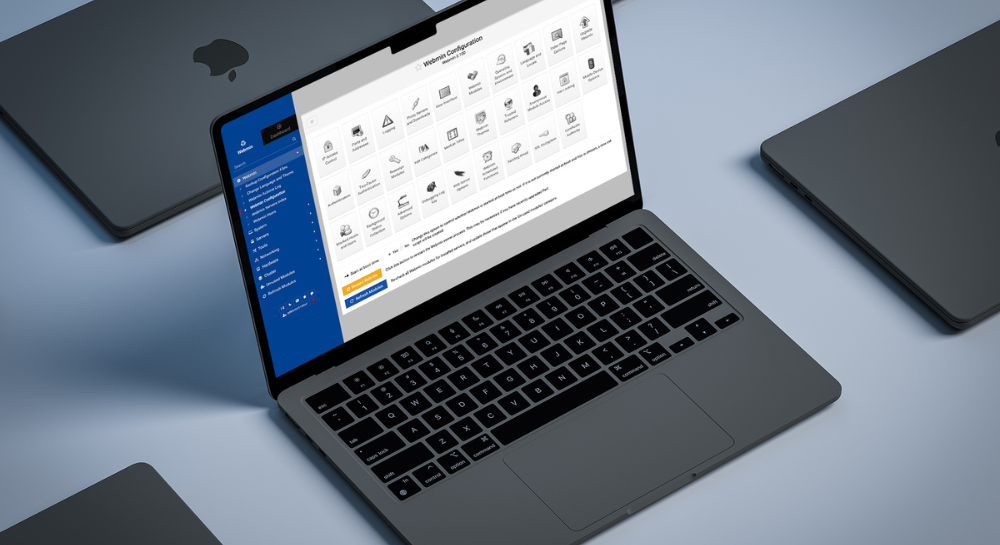
Kyo Logic has partnered with Oliver Reid and his company FMPConnect to provide an incredibly potent guidebook. You can click below right now to get an in-depth guide on exactly how to install Webmin and FileMaker Server on an Amazon Web Service (AWS) Ubuntu Virtual Instance.

DOWNLOAD


Installing with Webmin is perfect for IT professionals and developers who just don’t have extensive experience with Linux. As powerful as Linux is, it can be cumbersome to navigate if you’re unfamiliar, and can take valuable time to gain competency. But when you have access to Webmin, it simplifies the entire process. Everything is managed through Webmin’s GUI instead of having to manually edit configuration files or run commands.


While getting Webmin and FileMaker Server to work well with Ubuntu has historically been difficult, this guide provides a fast, consistent way to successfully set up both applications. By utilizing this guide, you can have everything up and running in just 20 minutes (not including downloads).


Everyone at Kyo Logic and FMPConnect thought this information was too impactful to keep to ourselves. We want to make sure everyone in the community has access to this process, as we believe the iterative, collaborative nature of the Claris community is what makes it so great.


Oliver Reid’s guide goes over every step of the process, from how to configure your Linux accounts to security and using Webmin to upload or download files to and from FileMaker Server. The guide includes:

  • Linux User Accounts, Permissions, and Directories Overview
  • Linux Repositories and Package Managers
  • Setting up an AWS Ubuntu Server
  • Connecting to the AWS Ubuntu Server
  • Installing Webmin
  • Installing FileMaker Server
  • Saving the AWS instance as an “AMI”
  • Securing Webmin with an SSL certificate
  • Uploading and Downloading FileMaker Server files using Webmin


Grab the guide now, and you’ll have detailed, step-by-step instructions paired with informative infographics and tables to make this previously impossible task feel effortless.


Check out FMPConnect for more great FileMaker and JSON tools. And follow Kyo Logic on LinkedIn to get access to more great guides and resources like this one.


We will be elaborating on this guide with additional details in the future. Stay tuned!

Why FileMaker is an Inexpensive Alternative to ERPs

Enterprise Resource Planning Systems allow organizations to manage (and in some cases automate) their core processes. ERPs may be leveraged in HR, finance, supply chain and manufacturing processes, or all of the above. Corporations rely on ERPs to provide benefits as varied as security and compliance management to collaboration and reporting.


Advanced manufacturers, banks, and hospitals are just a few of the industries that rely heavily on ERPs for everything from data storage to reporting to patient records.


Common ERPs include Oracle ERP Cloud, Microsoft Dynamics 365, and SAP ERP, although there are many more options available. And while these are incredibly powerful systems, they come with an equally incredible price tag. For enterprise-level businesses, it’s a bargain. But it makes the barrier for entry incredibly high for small and mid-size businesses that could otherwise benefit from some or all of these features.


FileMaker can offer an incredibly high degree of customization while also acting as a reasonable entry point into the world of ERPs. It works as a composable ERP– acting as the backbone while businesses can purchase the modules they need.Claris FileMaker provides:


High Degrees of Customization

Claris FileMaker allows for highly customized relational databases to fit the specific needs of virtually any requirement. While businesses may struggle to force their processes around out-of-the-box solutions, FileMaker can mold to these systems. It can do all this while providing many of the benefits of a traditional ERP, with comparatively minimal development and deployment costs.


Integration

Similarly, Claris FileMaker will integrate with any existing system. Just as importantly, it will integrate any new apps or software you introduce after the fact. It takes the customization aspect a step further. ERPs tend to provide a massive amount of disparate, specific functions (which is perfect for large companies that have a need for each of these functions), while Claris FileMaker


Scalability

FileMaker offers easy scalability as demands and needs increase. This is true not just from a systems perspective, but from a licensing perspective as well. Conversely, ERPs are designed for large corporations and may not scale down well for smaller operations.


Agility

FileMaker can be changed and adjust on the fly– in some cases, someone with limited experience could even make tweaks or updates. Its low-code nature makes in incredibly fast to navigate and use. While that’s great for novices, it also means that in the hands of a professional, overhauls and updates can happen several times faster than they could on other platforms. ERPs require longer set-up times.


Claris FileMaker does all this while offering lower licensing and maintenance fees. It makes the feature-rich environment of an ERP attainable for smaller businesses. It even provides ERP-like features for industries and businesses that wouldn’t be able to utilize an out-of-the-box ERP in the first place.


If you’re looking for ways to help transform your business and want to know more about what FileMaker can do, you can reach out to us here.

How FileMaker Can Reshape Compliance Management

Compliance management is a crucial component of many industries, including manufacturing, finance, healthcare, food, and government. Following procedures can mitigate risk and ensure both accuracy and efficiency. Oftentimes, these industries require a paper trail of records and complete data sets. 


While maintaining these industry and legal standards is vitally important, it’s also a massive undertaking. It requires the full attention of a number of individuals inputting data and triple-checking work. Larger organizations can have dozens (or even hundreds) of employees dedicated specifically to ensuring compliance is met.


Of course, even with all that redundancy, processes can still fail and data can still slip through the cracks. On top of that, compliance management demands a massive amount of time, energy, and resources– critical business capital that could be better spent elsewhere.


Claris FileMaker can provide a comprehensive, customizable system that automates, documents, and provides reporting down to the most granular detail. It provides invaluable structure no matter how specific the needs and requirements of the industry may be. Here are several ways Claris can completely reshape the way your business approaches compliance management. Let’s break down why clients like using Claris FileMaker for Compliance:


Customization

Claris FileMaker allows for completely customized, relational databases. Everything from tables, to fields, and relationships can be tweaked to your exact needs. The relational nature of the software means that every team and individual is working off the most accurate and up-to-date information.


Integration

Claris FileMaker ’s high degree of customizability makes it easy to integrate into virtually any existing ecosystem. Whether it’s mandated applications or software your company relies on, Claris FileMaker can easily communicate with these systems and even enhance their capabilities.


Flexibility

Similarly, Claris FileMaker makes integrating new tech straightforward and painless. As regulatory demands change, Claris FileMaker can serve as the foundational infrastructure. New software and applications can be leveraged without disrupting your existing ecosystem.


Automation

Workflows can be completely automated, streamlining processes and providing helpful support to compliance-focused teams. This can involve simple reminders or automatic scheduling of calendar events. It can get as complex as complete ownership of data entry and validation, leaving employees free to focus on more complex tasks.


Centralization

Store everything from reports to audits in a single database accessible from a variety of devices. Claris FileMaker’s highly customizable security measures allows for incredibly granular clearances and permissions.


Reporting

Just as with everything else, Claris FileMaker allows for detailed and customized reports. Data and insights can be collected, compiled and displayed to fit your exact needs. This makes it incredibly easy to provide information for audits and proof of compliance.


Compliance management is a necessary component of many businesses, but by its very nature, it’s incredibly taxing. Claris FileMaker can provide the means to streamline and modernize your compliance management systems, no matter how specific or esoteric the requirements.


If you’d like to find out more about how Claris Filemaker can impact your compliance management, you can reach out to Kyo Logic here. We’d love to provide you with a free consultation and demonstrate the benefits of a customized software solution.

How FileMaker Can Give Your Fantasy Football Team an Edge

Everyone at Kyo Logic is always talking about just how powerful FileMaker is– it can be used to create all kinds of helpful professional applications. We’ve shown off plenty of ways we leverage it to help businesses solve problems and fill specific needs. That includes everything from complex, unique applications to automating and streamlining basic data entry.


But it’s also fantastic for everyday use. Patrick, a seasoned Kyo Logic developer, uses FileMaker to give him an edge when it comes to NFL and NCAA football. Why does he take his work home with him? Is it because he loves analyzing stats? Is it because he’s super competitive and wants an edge? Does he just love FileMaker that much? The answer is all of the above.


College Ball

Patrick runs a successful and informative blog, 1 Nerd Sports, that delves into the numbers behind successful college teams. He loves college football. And he’s been able to weave his knowledge of FileMaker in with that passion.


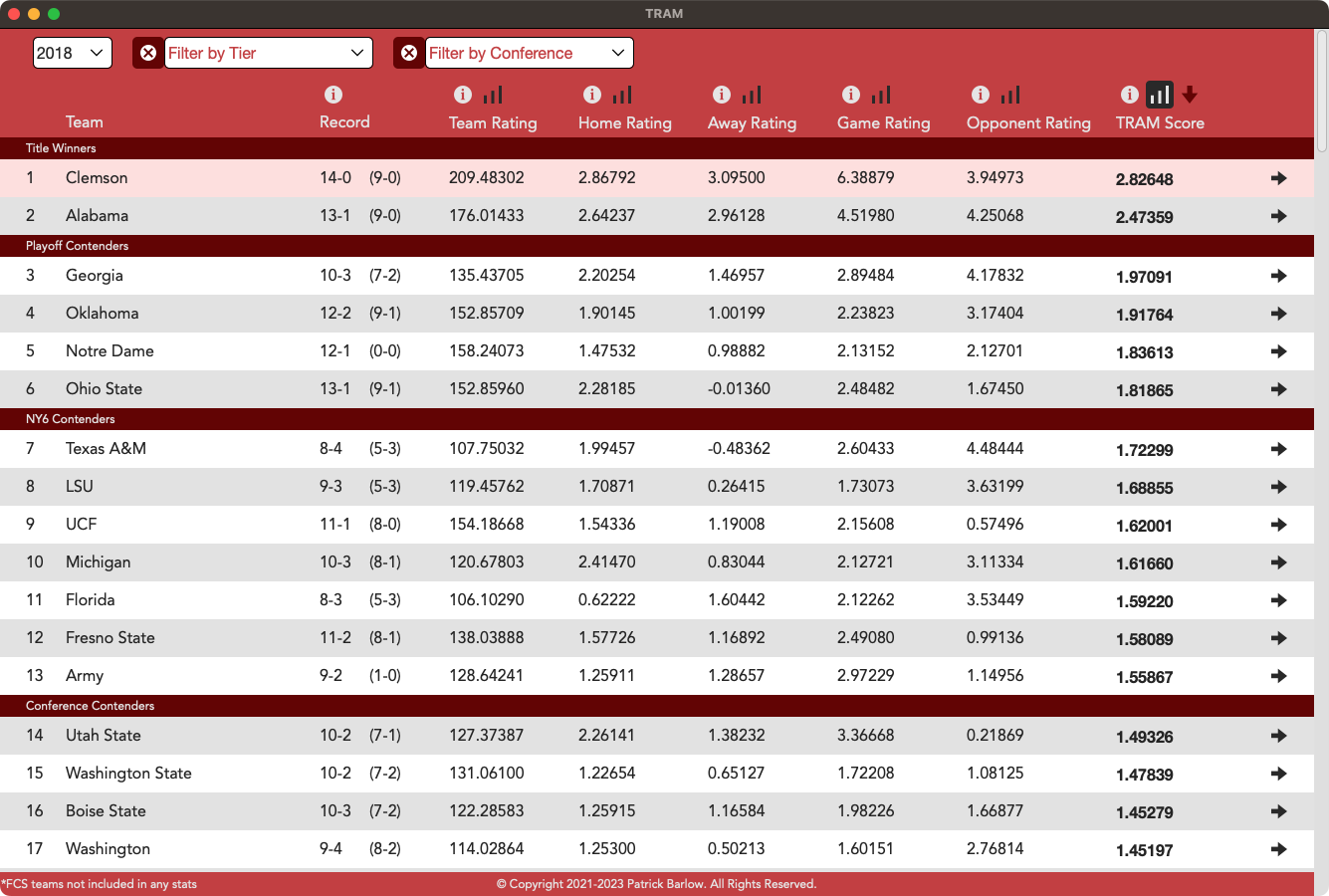
His app takes the results of every game and builds a model based on key factors. It provides an objective list of team rankings based solely on performance. It also allows Patrick to dive into specific teams, players, and years. Patrick has built it to be completely automated; his app pulls from the NCAA API (application programming interface) that updates every game.


The app focuses on factors like a team’s win and loss percentages, average margin of victory and loss, and compares it to the opponents stats. His model accurately predicts spreads about 65% of the time. Patrick isn’t one to brag, but considering how many other factors are at play in the sport… those are pretty solid numbers.


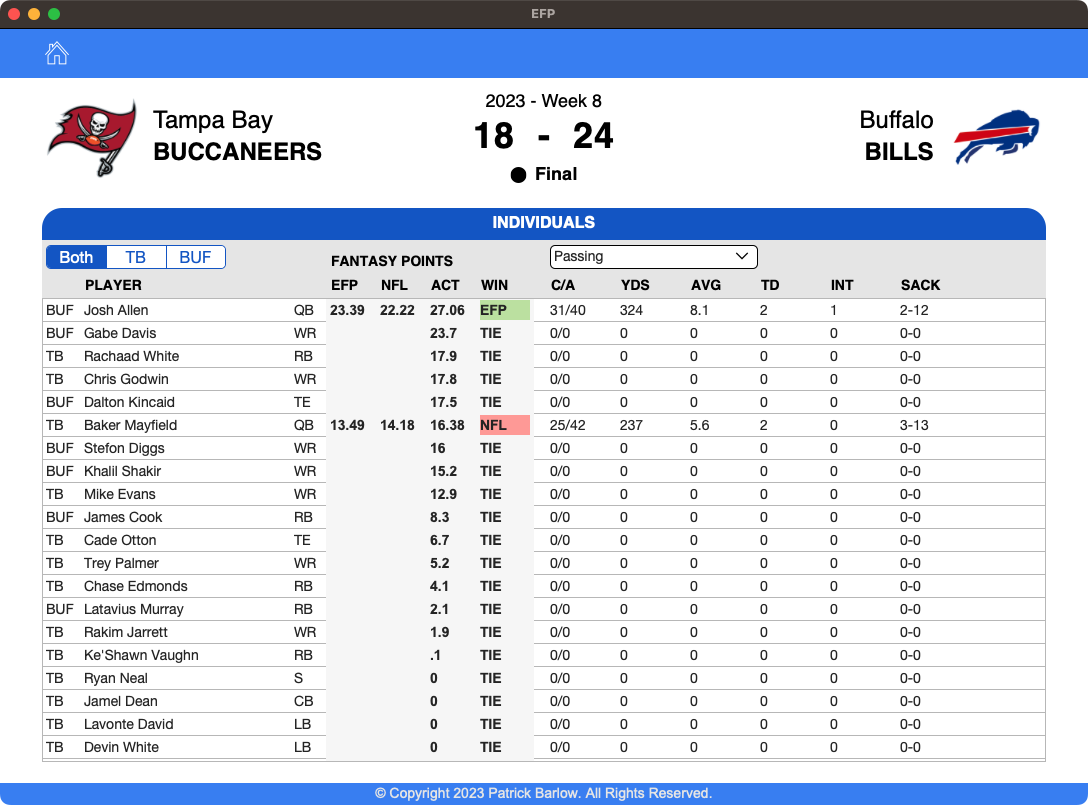
More recently, Patrick has also built an app to give him an edge in fantasy football. Similar to his college app, it plugs players stats in and makes recommendations on who to play and bench in a given week. So far, it’s been more accurate than the NFL’s own recommendations.

Fantasy FileMaker

Patrick uses FileMaker for his hobbies not just because he’s an expert. It also gives him a level of flexibility and control other languages and tools don’t offer. It’s also easy enough to navigate that any of his friends can (and do) use these apps.


But most importantly, it’s the fact that it’s a relational database. FileMaker understands how to relate different tables and values. It makes it incredibly intuitive for a stat-heavy game like football– it understands how to scrape data from weekly games and apply it to individual players or specific teams, almost instantly. It can also make changes and adjustments easily. If Patrick needs to add or swap parameters, he can do so on the fly and see the changes reflected in real time. It also provides the backend and frontend for the application, so everything is in one spot. It makes for a nimble, flexible, and response application.


If you want to learn more about how Kyo Logic can enhance your business (or just need help with your fantasy team), you can reach out to us here.1

Major Claris Studio Updates

Through a series of announcements, Claris has revealed a host of new changes for FileMaker and everyone here at Kyo Logic is incredibly excited. For reference, Claris is changing the FileMaker name and bringing everything under the Claris umbrella. While the products remain the same, they now follow this new convention:

  • FileMaker Pro is now Claris Pro
  • FileMaker Server is now Claris Server
  • FileMaker Go is now Claris Go
  • Claris Connect is now Claris Studio

Claris wants to create a more cohesive, easier to understand identity. They also promise that this new structure will allow them to offer new and exciting products and tools. It’s also the perfect time for them to change the way customers can purchase these offerings.

Claris Studio (formerly Claris Connect) is Claris’s latest cloud-based platform (also, given the rebrand, get used to seeing the word “Claris” a lot). It provides most of the features of Claris/FileMaker Pro, all accessible from the web. Just as importantly, it makes accessing your platform via a mobile device or tablet much easier than it was in the past.

While FileMaker previously had more complex licensing, Claris Studio streamlines licensing models into a much more straightforward licensing model.  It also allows for the use of exciting, modern interface languages like Mongo (you may not know what it is, but trust us… your tech guys do).

Overall, this is a much more dynamic system that allows for more interactivity, more dynamic and customizable layouts (perfect for anything customer-facing), and offers new, even easier ways to connect to the other tools in your work environment. We’ve always recognized the power of FileMaker, but the new Claris Studio takes things to a whole other level.

If you have questions about what Claris Studio can do for you (or want to know more about how the changes from FileMaker to Claris will work for you), please reach out to us here. We’re happy to walk you through use cases and can even provide a free consultation!

Welcome to the Brand New KyoLogic.com!

This September, Claris had several new announcements and updates. Of course, we can expect to see developments and news ramp up as Claris continues to build towards their recently announced rebranding and overhauling suite of offerings.  In addition to the typical tweaks and fixes, there are some exciting changes that pave the way for the future of Claris

The Kyo Logic team is incredibly proud to announce the launch of our new website. We’ve worked tirelessly to create a new look and feel that accurately reflects our commitment to cutting-edge technology, intuitive UX/UI, and modern design.

This new, feature-rich redesign includes our recent highlights and case studies, additional information on all of our services and offerings, and exciting developments in the world of Claris and FileMaker. It’s a faster, snappier, and more responsive site… much like Claris is offering up newer, faster versions of FileMaker.


Speaking of Claris, they’ve got some very exciting updates in store this year that will positively impact the capabilities of our current and future clients– you can learn more here. We’ll continue to work closely with Claris to maximize the potential of their platforms and services, which translates to us maximizing the potential of the incredible brands we service.


We’re launching this site alongside a more modern suite of standalone offerings that give our clients more opportunities to better use FileMaker/Claris in a way that makes sense for them. We want to ensure that we’re taking advantage of everything Claris has to offer and giving our clients ways to maximize these new features and options.


Of course, this is all made possible because of our immensely talented team. These individuals have worked tirelessly to help shape the direction of not just the website, but our company as a whole. Both are a collaborative vision that are a testament to our success. And as exciting as all these new updates and developments are, we’re even more excited to show you what we have in store for the future!


Please browse our new site, and whether you’re a current or new client, learn more about what we can do to help you and your team. As always, please reach out to us here if you have questions or would like an in-depth consultation.

Introducing KyoSync II

Kyo Logic is excited to announce the launch of a new and exciting plugin for Claris and FileMaker: KyoSync II. This plugin allows for easy and efficient database synchronization, even when users are out of network. KyoSync II is available here for an annual fee of $500 USD.

Kyo Sync II doesn’t create a network– it creates a network community. It allows for disparate databases to sync independently of one another and without a consistent internet connection. Its essentially like passing notes back and forth over a fence. A user can make their own changes locally, and then another user can sign in and request to sync; at that point, they’re taking the note from over the fence so they can make their own changes and updates.


This has several advantages. While most database applications are storing their information in the cloud, Kyo Sync II is storing information locally. Each user’s device acts as a “source of truth” until it’s time to upload or download changes.


This means that data isn’t being changed or manipulated by other users. More importantly, it means that users with limited internet access can still do their work out in the field, even in remote areas where internet/cloud access is otherwise impossible. Critical data can be captured and stored on the spot and shared with other users once access is available.


While modern “living” databases are great for collaboration in instances where an internet connection is a guarantee and cloud-based storage is always available, this setup fails within certain use cases.


  • Remote Technical Work: Highly-technical work on devices and infrastructure like phone lines, antenna, or servers may occur in areas that have less-than ideal coverage.
  • Disaster Relief Support: lines of communication may be intermittent or down completely in certain areas, and syncing allows front-line responders to collect important data and keep records while in the impacted area.
  • Remote Service Delivery: Track deliveries and drop offs even in remote areas.
  • Machine Signal Interference: Laboratories and other research or manufacturing environments may be too “noisy” for a consistent internet connection. Alternatively, they may be highly sensitive areas where online access just isn’t feasible. 
  • Planes, Trains, and Automobiles: Traveling in and out of coverage areas can make working from the cloud impossible. Remote syncing ensures that work can get done on or offline.

Simple and Easy 

This module can easily be integrated into any Claris or FileMaker-based platform to ensure databases are always properly synced. While syncing is possible through FileMaker, it’s currently difficult to develop these features. KyoSync II allows for easily integrated syncing features at a reduced development cost. In effect, this is a non-standard feature set that can now be standardized via Kyo Logic’s integration.

Creating a Singular Source of Truth

Ensuring databases are up-to-date and accurate is incredibly important for every team, no matter the application. Working from outdated information can cause wasted hours, upset clients, and incorrect deliverables or products. We created KyoSync II to ensure databases are accurate, and that employees across departments have access to the same information– no matter where they are in the world.

With KyoSync II, accurate databases mean faster, more accurate processes.

Always in Sync

KyoSync II was initially created to service the databases of OceanX– both their home offices and the servers running on a roving vessel. Because of this, it was incredibly important that even data entered when out of service or in “dead zones” could still update as soon as possible. Building off of this technology, KyoSync II ensures information input while out of network will sync once the device establishes an internet connection again. It’s a feature that’s perfect for employees who do field work or considerable traveling.

Kyo Logic continues to innovate within the Claris space with modules like KyoSync II. We’re incredibly excited to build on these innovations and deliver more feature-rich plugins in the future.

If you have questions on KyoSync II, or would like to gain a better understanding of how we can work together to streamline your business, you can reach out to us here.

September Updates: Claris Studio Release and 19.5.4 Update

This September, Claris had several new announcements and updates. Of course, we can expect to see developments and news ramp up as Claris continues to build towards their recently announced rebranding and overhauling suite of offerings.  In addition to the typical tweaks and fixes, there are some exciting changes that pave the way for the future of Claris FileMaker. Users can expect more updates in line with this one as Claris continues to roll out their previously announced plans.

Claris’s major announcement is the release of Claris Studio. Part of their new lineup of offerings and naming convention, Claris Studio replaces Claris Connect. It offers the same functionality: insights through charts, reports, and dashboards. 

Claris Studio allows users to run reports, create charts, and more. Data is updated and reflected in real-time across the Claris platform. Features include:

  • Dashboard: Claris Studio’s dashboard allows for quick and easy access to a holistic view of your data.
  • Forms: Collect and view data.
  • Spreadsheets: Aggregate data and sort or filter it by specific parameters.
  • List-detail: Organize information into a list, with the ability to view or edit.
  • Kanban: Track project progress.

Claris has also promised that users can expect other features and functionality to be added in the future.

Update 19.5.4 is here and it brings several helpful updates. The most notable of these is the in-software news updates.

Highlights include:

  • In-product Notifications: Claris can now share the latest news directly in the FileMaker Pro and FileMaker Server software. Users can be alerted to new changes and updates as they roll in.
  • macOS: The quick start experience is no longer available.
  • New Files: FileMaker Pro and FileMaker Server can now open files that could not be reopened after modifying the settings in the File Options dialog box with a limited access account.

Other recent updates include:

    • Use a Single Claris ID: A single email and password can be used to log into Claris Pro, Claris Studio, and all other Claris products. It’s a simple but appreciated quality of life change.
    • New File Extension: Apps created with Claris Pro now use the extension “.claris”. Claris server can now host these files.
  • Claris Go App: Claris Go will soon be available on the app store for iOS and iPadOS.

Kyo Logic will continue to bring you exciting Filemaker news and updates. If you have any questions about these changes, or you’d like to know how FileMaker can work for your business, you can reach out to us here.