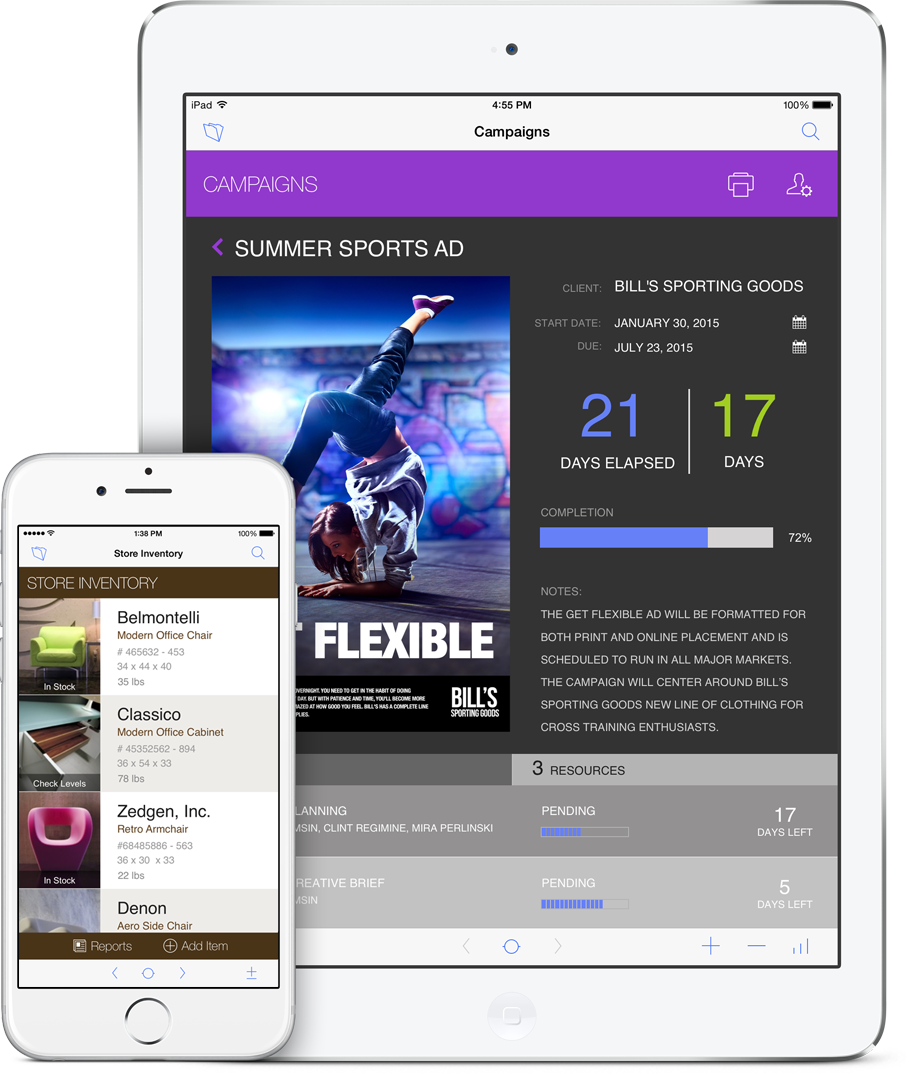
What is new in the FileMaker 15 platform?

What's new in the FileMaker 15 platform?

The FileMaker 15 platform has been released! FileMaker 15 offers stronger essentials for making even better custom applications. FileMaker Inc. has also updated there purchasing options to better accommodate working in teams. The new features include:

  • Mobility
  • Automation & Integration
  • Ease of use
  • Security
  • Performance

Mobility offers great new options for app extensions. These features include iBeacon, Touch ID, and 3D touch support. This allows you to leverage your app with outside applications as well.

For the developers of applications, Automations & Integration, has added undo scripting and highlighted script errors in the scripting area. This allows developers to save time and avoid hassle while coding.

FileMaker Inc. has created more ease of use with updated starter solutions as well as updated user interface for FileMaker 15. They will now offer web-based help which will allow for even fast response times when needed.

Security has always been a huge concern for FileMaker so with this update even higher security standards were added. You are now able to set concealed edit boxes with ease. They have also added more SSL certifications and protective security warnings for users!

When running custom applications performance is always a focus! To keep all areas running smoothly FileMaker has added top call statistics logging and portal in-line status bars!

If you have purchased FileMaker from Kyo Logic please keep an eye out for your upgrade codes via email. If you need assistance with the upgrade or purchasing FileMaker 15 please contact Kyo Logic at your earliest convenience.

-Kyo Logic
203-221-3033

Don’t Host that File — Audit it First!

Screen Shot 2016-03-18 at 9.03.38 AM

Will you be attending FileMaker’s DevCon 2016? If you have not bought tickets already you will not want to miss this great event to learn all things FileMaker!

This year Kyo logic’s Tim Neudecker will be presenting, “Don’t Host that File — Audit it First!“, Thursday July 21st at 3:45pm! For any company or IT department that will be hosting files you will not want to miss this great presentation to make sure your files are always secure!

Session Description

Before you host your brand new FileMaker custom app, you should perform a security audit. This will help you sleep at night knowing your data is safe from intruders.

In this session, we will review all aspects of file security from basic privilege sets and extended privileges to encryption at rest. We’ll also discuss server security, including physical security, proper configuration, and purchasing and installing SSL certificates.

What You Should Know

Basic understanding of the FileMaker Platform

What You Will Learn
  • Privilege sets and extended privileges
  • Encryption at rest
  • File access permissions
  • SSL certificates

FileMaker Go: The benefits for your small business

FileMaker 14 has applications for small, medium and large-sized businesses, provided these companies use the software to the fullest. The official FileMaker website offers examples of small businesses in particular that have used the flexibility of FileMaker Go to help streamline their work. Taking their work out of the office with this trusted brand allows companies to focus on providing the best product or service and stay up-to-date with the latest mobile options.

FileMaker Go can free up small businesses and reduce paperwork.FileMaker Go can free up small businesses and reduce paperwork.

One example of a satisfied user is Acorn Rentals, a car company that used Go to facilitate customer interactions quickly. Since the business supplies cars specifically to the victims of auto accidents, speed is often of the essence. Another client mentioned on the site, Texas-based Klapprodt Pools, uses Go to handle orders via iPad.

As of April last year, the iPad and iPhone app for Go had more than 1.5 million downloads, according to a press release from the company. Here are a few other ways that this FileMaker mobile solution will help your small business improve satisfaction and performance:

  • Compatibility: Just because you still use older desktop systems doesn’t mean you can’t add iPads to the workplace. In fact, FileMaker Go allows companies in all industries to keep mobile and desktop systems on the same page.
  • Reduce paperwork: Having all of the functionality you need on one device will cut down on the unnecessary documentation you have to use. This not only makes everyday processes more efficient but saves on paper as well.
  • Synchronization: Remote workers can input data directly to your main database, as Acorn did.

When a company is just starting out, they may need to conserve resources to focus on growth. Visit our website to get help using the newest version of FileMaker.

FileMaker keeps you connected to your data [Video]

Hi everybody, and welcome back! This time we’ll be discussing the ways that FileMaker keeps users connected to their important data.

If a user loses his network connection or the server goes down for a brief period, FileMaker automatically makes the reconnection when the server is available once again. Absolutely no data is lost in this time, and people can pick up their work right where it left off.

For the more experienced users, there is a standby server option that allows for the higher availability of crucial data. Should a primary server go down, all of the work can be switched over to a standby server simply by typing in a specific set of commands.

As always, thanks for watching, and be sure to check back here again soon for more helpful FileMaker tips!

FileMaker iOS SDK grants developers mobile app tools

Earlier this month, FileMaker unveiled application development tools for database solutions. AppleInsider notes the limitations involved with this software, as developers can only use the new SDK if they are part of the Apple development program. However, those that do so can make independent iOS apps on Macs with the Xcode and other tools from the FileMaker family.

“App icon features can be adjusted to match the appropriate device.”

In addition to enrollment in the program, developers have to register all devices involved in app testing. Doing so will prepare users to create signing identities and App IDs, part of the early stages of the process that will eventually lead to launching and testing the application proper. The SDK also allows users to create an effective project directory for storing app resources and easily adjusting the Xcode project.

App icon features can be adjusted to match the appropriate device, with the image tweaked for best resolution depending on whether it’s meant for iPhone or iPad. In an FAQ on this development on Geist Interactive, Todd Geist says that users can update native applications simply using this SDK.

“If your application is hosted on a server, then your changes made on the server will files will automatically be reflected in your native app,” he writes. “The only time you will have to update your bound application is when you want to support a new version of the FileMaker Go engine,” Geist adds. The completed app also doesn’t require FileMaker Go for access.

Get FileMaker support by visiting our website and learning the best way to use this software for better applications on iOS platforms.

FileMaker 14 tackles certification testing

This blog has previously noted the advantages of using FileMaker 14, as well as features in the new version. In October, FileMaker announced "Developer Essentials for FileMaker 14," a certification exam that signifies developers are ready to use this platform for mobile solutions. As the official post on the certification described, FileMaker left the process open-ended enough for applicants to learn all of the specifics of this platform at their own pace.

A key emphasis in FileMaker 14 is centralized access.

Because of the advantages of achieving certification, candidates can use this official marker as proof that they are keeping up with the latest available FileMaker capabilities.

For FileMaker 14, these include easier scripting tool access, streamlined navigation and better audio and video playback, as an IT Wire article noted last May. A key emphasis is centralized access, as users interact with several solutions through a smart and intuitive base.

In a press release from October, Ann Monroe, FileMaker's senior director of Marketing, said that "certification matters" and explained why this can help developers augment their career.

"As the FileMaker Platform grows, adding exciting new features in the mobile and web space, a well-rounded developer needs to demonstrate a wider range of skills and experience," she said. "Certification helps to demonstrate this achievement to hiring organizations."

Visit the KYO Logic site for information on FileMaker support. Our services are designed to aid website development, server maintenance and other related issues for getting the most out of this solution. We also offer small group training that highlights the ways this software can best improve your specific business.

How to improve your FileMaker 14 experience with iOS [Video]

Hi everybody, and welcome back! This time, we’ll be discussing how FileMaker 14 allows users to control how their solutions look and run on mobile devices, such as the iPad and iPhone.

FileMaker Go 14 has a new look that reflects the style of the latest iOS operating system. Users can make their solutions full screen through scripts or swiping to hide the interface. This makes it easier to make any necessary edits.

With a script, users can lock to orientation of the layout, in order to build layouts that are specifically for portrait or landscape views.

As always, thanks for watching, and be sure to check back here again soon for more helpful FileMaker tips!

How to create better solution designs with FileMaker Pro

One of the best aspects of FileMaker Pro is that it offers design tools for users to create powerful and easy-to-use solutions and databases. These programs work seamless across a variety of digital platforms and tools, including the iPhone, iPad, Mac, Windows or even the web. There are all kinds of options to help even FileMaker novices put together a beautiful solution.

Here are a few of the major tools at your disposal when creating a FileMaker solution:

  • Button bar: If you want to be able to easily navigate through your solution or even create a custom toolbar, that is possible through groups of buttons. Each button automatically maintains equal proportions as the window is resized, whether you only have a couple of buttons or a few dozen. Make the button bar vertical or horizontal and easily display the active state of each button.
  • Button icons: FileMaker Pro has 140 different professionally-designed button icons that cover a wide variety of tasks to use within your solutions. Users can change the icon color, apply conditional formatting and even important custom icons. These icons can be combined with button text and integrated with the button object itself.
  • Color selection: The color palette in FileMaker Pro makes it easy to create attractive layouts, even if you have trouble selecting just the right hue. Once you do click on a color, additional options automatically pop up in the window, so you can choose what best flows together in the layout.

Check out the rest of our website to learn more about FileMaker 14 and how you can incorporate the entire solution seamlessly into your tech business or everyday life.

FileMaker Master Class, September 23-25

From September 23-25 of this year, Kyo Logic will be hosting a FileMaker Master Class. We are proud to be co-sponsors of the event, along with Dr. Ray Cologon at Nightwing Enterprises. This event is perfect for people who are already familiar with the FileMaker system but are looking to sharpen and hone their abilities.

The FileMaker Master Class is specifically geared toward people who are well acquainted with the full feature set of the FileMaker platform and have past experience developing and deploying complex solutions using the the system. The class is also for those who wish to enhance their knowledge, skill and understanding while taking their development work to the next level.

Kyo Logic's FileMaker Master Class will cover a whole range of topics, including:

  • Advanced design solution
  • FileMaker application models for data and structure
  • Advanced scripting techniques
  • Process control
  • FileMaker calculation engine
  • Code logic
  • Designing solutions for scalability
  • Advanced development techniques
  • Quality assurance using FileMaker

After attending and completing the 2015 FileMaker Master Class, you will be able to apply a range of development techniques, enhance the flexibility and performance of your solutions and understand the deeper nuances and complexities of advanced FileMaker development and usage.

Attendees will also have the skills necessary to choose the most effective framework for their solutions, as well as the techniques to further advance the complicated development practice. The FileMaker Master Class is for those who are already relatively skilled at these solutions and is meant to allow people the opportunity to engage with and complete more complex work.

If you are interested in attending the FileMaker Master Class, or want to learn more about the services Kyo Logic offers, be sure to take a look at the rest of our website!

FileMaker Developer Conference 2015

If you are looking to expand your knowledge of solution development, than going to FileMaker Developer Conference 2015 is certainly an event you should have marked down on your calendar! There will be more than 60 sessions on in-depth topics that range from cover design and mobility to core development and innovation.

The conference will be held this July, from the 20-23, in beautiful Las Vegas, Nevada. More than 1,200 software developers from around the world will be at this event, which will mark the 20th anniversary of the first FileMaker conference. You can learn all about the possibilities of FileMaker solution development!

Here are some of the topics you will be able to dive into during the 2015 FileMaker conference:

  • What's on the horizon for the FileMaker platform
  • Get tips on developing iOS, web and desktop solutions
  • Learn more about how to better use FileMaker
  • Network with FileMaker developers from around the world
  • Discover the new products and services that are out there
  • An immediate ROI on your overall conference investment

Whether you are new to the FileMaker platform as a whole or have been using the service for years, you'll absolutely want to take advantage of everything that the 2015 FileMaker conference has to offer! The first day is dedicated entirely to FileMaker training, so you can learn what has changed and been upgraded in just the past few months.

If you are interested in learning more about the 2015 FileMaker Developer Conference, be sure to check out the event's website. Also be sure to take a look at the rest of our blog to see how the FileMaker platform can be more seamlessly integrated into your company's system.