
3 modern IT security risks to watch out for

Cybersecurity remains a major concern for companies in all industries. Those businesses that work with the latest tools still need to take cautionary measures.

“Cybersecurity remains a major concern for companies in all industries.”

Business Insider recently spoke to Malcolm Marshall,  KPMG International Global Head of Cyber Security, about the inherent problems in “rising” technology. With robotics and automation poised to see greater use, Marshall warns that security systems should be pre-existing in these devices, as opposed to an afterthought. He also notes the inadequate practice of hiring an expensive cyber security expert instead of creating “offensive capabilities.”

“Security should be built in from the start and people have got to change the perception that security gets in the way of innovation,” he said. “We need to make sure security is innovative, more agile, easier to use. Few of the world’s organisations understand this.”

Here are some other risks that companies may fall prey to as they attempt to address security issues:

  • Lack of training: Marshall also referred to the need to increase basic knowledge among employees to add to a company’s basic defenses.
  • Outdated software: The changing nature of software retirement dates and supported licenses means users need to be aware of what is current. A Cisco survey mentioned in this BetaNews piece reported that more than 30 percent of all devices “are no longer supported or maintained by the vendor.”
  • Time to adjust: Bloomberg recently reported on the Pentagon’s delayed attempts to enact security requirements. According to this piece, one of the key concerns for contractors is the amount of time they have to respond to such concerns.

For help with the latest versions of FileMaker and related products, check out our website.
4 ways to use FileMaker 14 for mobile devices

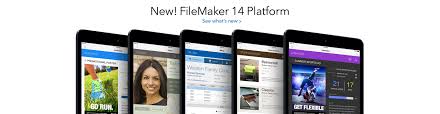
With the launch of FileMaker 14, mobile users have simplified access to databases on common mobile devices, including iPhones, tablets and Androids. The more your organization knows about what the latest edition can do, the more effective your work through FileMaker will be. Maximizing the software’s potential can require calculating hardware and software specifications.

FileMaker allows for mobile efforts.FileMaker allows for mobile apps and use.

Below are some ideas for creating excellent mobile-friendly databases that match the relevant app environments well:

  • Customize apps for the device: In an Information Week piece from last year, Curtis Franklin Jr. notes the in-app features that make navigation simple. “FileMaker 14 has fully embraced a world in which most of its users will be handling touchscreens rather than keyboards,” he writes.
  • Move beyond Apple: As that same article noted, FileMaker Go is the only “part of the FileMaker family” that is limited to Apple devices. With the rest, developers have wide range to use devices running Windows instead as they are available.
  • Multitask: FileMaker Go allows users to pin projects at the top of the screen for easy access. Meanwhile, WebDirect lets as many as 100 users access the same database through this mobile solution. The layout is simple enough to use that companies should be able to accomplish multiple tasks through its diverse user support.
  • Verify server support: While FileMaker should liberate businesses that have just been relying on Apple, knowing the server system requirements, compatible operating systems and other specifics will leave users in a better place to run FileMaker solutions. Some of the statistics worth verifying include the minimum hardware requirements for all mobile devices and the limitations on browsers like Chrome and Safari.

FileMaker developers can start getting the most out of this exciting software by collaborating with consultants. Visit our website for more information.

FileMaker 14 tackles certification testing

This blog has previously noted the advantages of using FileMaker 14, as well as features in the new version. In October, FileMaker announced "Developer Essentials for FileMaker 14," a certification exam that signifies developers are ready to use this platform for mobile solutions. As the official post on the certification described, FileMaker left the process open-ended enough for applicants to learn all of the specifics of this platform at their own pace.

A key emphasis in FileMaker 14 is centralized access.

Because of the advantages of achieving certification, candidates can use this official marker as proof that they are keeping up with the latest available FileMaker capabilities.

For FileMaker 14, these include easier scripting tool access, streamlined navigation and better audio and video playback, as an IT Wire article noted last May. A key emphasis is centralized access, as users interact with several solutions through a smart and intuitive base.

In a press release from October, Ann Monroe, FileMaker's senior director of Marketing, said that "certification matters" and explained why this can help developers augment their career.

"As the FileMaker Platform grows, adding exciting new features in the mobile and web space, a well-rounded developer needs to demonstrate a wider range of skills and experience," she said. "Certification helps to demonstrate this achievement to hiring organizations."

Visit the KYO Logic site for information on FileMaker support. Our services are designed to aid website development, server maintenance and other related issues for getting the most out of this solution. We also offer small group training that highlights the ways this software can best improve your specific business.

How to improve your FileMaker 14 experience with iOS [Video]

Hi everybody, and welcome back! This time, we’ll be discussing how FileMaker 14 allows users to control how their solutions look and run on mobile devices, such as the iPad and iPhone.

FileMaker Go 14 has a new look that reflects the style of the latest iOS operating system. Users can make their solutions full screen through scripts or swiping to hide the interface. This makes it easier to make any necessary edits.

With a script, users can lock to orientation of the layout, in order to build layouts that are specifically for portrait or landscape views.

As always, thanks for watching, and be sure to check back here again soon for more helpful FileMaker tips!

How to create better solution designs with FileMaker Pro

One of the best aspects of FileMaker Pro is that it offers design tools for users to create powerful and easy-to-use solutions and databases. These programs work seamless across a variety of digital platforms and tools, including the iPhone, iPad, Mac, Windows or even the web. There are all kinds of options to help even FileMaker novices put together a beautiful solution.

Here are a few of the major tools at your disposal when creating a FileMaker solution:

  • Button bar: If you want to be able to easily navigate through your solution or even create a custom toolbar, that is possible through groups of buttons. Each button automatically maintains equal proportions as the window is resized, whether you only have a couple of buttons or a few dozen. Make the button bar vertical or horizontal and easily display the active state of each button.
  • Button icons: FileMaker Pro has 140 different professionally-designed button icons that cover a wide variety of tasks to use within your solutions. Users can change the icon color, apply conditional formatting and even important custom icons. These icons can be combined with button text and integrated with the button object itself.
  • Color selection: The color palette in FileMaker Pro makes it easy to create attractive layouts, even if you have trouble selecting just the right hue. Once you do click on a color, additional options automatically pop up in the window, so you can choose what best flows together in the layout.

Check out the rest of our website to learn more about FileMaker 14 and how you can incorporate the entire solution seamlessly into your tech business or everyday life.

How to create your first database in FileMaker Pro

FileMaker Pro allows users to create databases that range in how complex they are — they can be as simple as a collection of information or as intricate as an invoicing or inventory system. Regardless of the level of sophistication, all of these databases start off the same way in FileMaker. If you are new to this system, this article will give you some tips on how to get up and running as quickly as possible.

Using themes to create your database will give it a professional look, as it is a collection of coordinated styles that will determine the color, object, part, background attributes and font of a particular layout. Themes also enhance the look of your database by giving everything a consistent look, and can be edited at any time. This program will offer you enough support when it is needed, taking you through every aspect step by step.

When you go to create a new database with FileMaker Pro, the program automatically opens the file in Layout mode and displays a blank layout as well as the Field Picker dialog box. Using the Field Picker box will allow you to define the fields for that particular database, as well as adding or changing those in an existing layout. However, the Field Picker dialog box can only be used to define the fields for the current layout of the most recent FileMaker Pro table.

Check out the rest of our website to learn more about FileMaker 14 and how you can incorporate the entire solution seamlessly into your tech business or everyday life.

How can you stay connected to your data using FileMaker?

Here are a few major ways FileMaker allows users to stay connected to their data:

  • Enhanced security: FileMaker gives users enhanced password and encryption capabilities, meaning their data will stay safe even when transferred among a number of different people on the server. The Admin Console will help users create a strong password, as well as setting up a four digit PIN that can be used to reset the password whenever necessary. These security protections will help to keep hackers from accessing the information.
  • Server reconnection: If a user loses their network connection, or the server goes down for a brief period, FileMaker automatically reconnects the person when everything has become available once again. It will also bring the user right back to where they were in their solution, with none of the work lost or damaged. People can then continue as if the interruption had never happened in the first place.
  • Standby server: For those experienced administrators, there is an option in FileMaker that allows for the creation of a standby server that can be accessed at any time. If the primary server goes down, for example, a set of commands can be typed in, bringing the standby server into use. Data on this server is included in any and all scheduled backups, so none of the information will be lost over time. This will ensure the higher availability of this crucial data.

Check out the rest of our website to learn more about FileMaker 14 and how you can incorporate the entire solution seamlessly into your tech business or everyday life.

What are the advantages of the FileMaker platform?

Only the FileMaker 14 platform gives users what they need to manage contacts, invoices and other sensitive information in no time. Whether you are a salesperson who is on the road frequently or a manager who needs a more efficient way to keep track of inventory, FileMaker can do it all. Just be sure to have all of the necessary and relevant information before you get started.

Here are a few major advantages of the FileMaker 14 platform:

  • Built-in reporting tools: Users can create professional reports on the fly, all in a familiar format that resembles a spreadsheet. Eye-catching charts and custom reports are all possible in a short amount of time, as FileMaker comes with its own step-by-step assistant. Even if you are unsure of how to put a report together, the platform will be able to help out.
  • Easy and intuitive for users: FileMaker 14 comes with flexible design tools, a simple graphic interface and ready to use themes, all for making the experience as simple as possible. Data that you already have can be added, like an Excel spreadsheet. The custom solution of your dreams are possible with the FileMaker 14 platform.
  • Secure data and information: All of the data your business uses can be centralized on a single server and safely accessed only by those with the encryption information. Individual user privileges can be managed right down to the field level, giving you complete control over everything.

Check out the rest of our website to learn more about FileMaker 14 and how you can incorporate the entire solution seamlessly into your tech business or everyday life.

How can you use FileMaker Go in everyday life?

If you have never used any of the FileMaker platforms in the past, it might seem a little daunting to incorporate the technology into your personal or professional life. However, what you will quickly discover is that FileMaker will make your life more efficient and less stressful, particularly if you use FileMaker Go on one of your mobile or smart devices.

For example, say you manage and run your own restaurant. FileMaker Go makes it possible for you to track every item in your inventory. No longer will you have to wonder where something has gone missing to or if you have enough of a certain item, as all of that information will be readily available in front of you. You can also schedule all of the servers and cooks who work there with total ease.

Being in sales can be a stressful career, especially if you are on the road on a frequent basis. FileMaker Go allows users to simplify their inventory management and point of sales information, no matter where they are at that moment in time. This is good for managers in this industry as well, as they will be able to better track every sale being made on a secure server that protects all sensitive data.

Check out the rest of our website to learn more about FileMaker 14 and how you can incorporate the entire solution seamlessly into your tech business or everyday life. FileMaker Go makes it easy for you to better manage your professional goals and information.

What to know about FileMaker WebDirect

FileMaker WebDirect is the perfect alternative if you do not wish to install or maintain software locally. It makes it easy, for example, for teams that work in remote office locations to share and edit information on the same server. FileMaker WebDirect can be used to securely collect data, such as status updates, event registrations and feedback forms, from colleagues and associates that are all across the globe.

Users can access FileMaker WebDirect in a web browser that is shared through concurrent connections in FileMaker 14. With the latest version of this software available from FileMaker, there can be up to 100 concurrent connections at a single time, with each browser session counting as one connection. This will allow a number of colleagues to be sharing information and data at the same time, cutting down on any inefficiencies.

It is easy for users to get up and running with FileMaker WebDirect. First, a solution tuned for web browsing can be created through FileMaker Pro. Under the FileMaker Pro 14 file menu, enable FileMaker WebDirect access to a solution. Then, upload the created solution to FileMaker Server 14. After all of this has been completed, users can access the created solution by using a concurrent connection in any FileMaker Server.

There are all kinds of new features in FileMaker WebDirect, from increased mobile browser support to a redesigned toolbar to menu items that automatically collapse and expand.

Check out the rest of our website to learn more about FileMaker 14 and how you can incorporate the entire solution seamlessly into your tech business or everyday life.