Boosting Productivity and Collaboration with FileMaker

Productivity isn’t just about working faster.

It’s about reducing friction between people, departments, and systems so work moves forward without unnecessary delays.

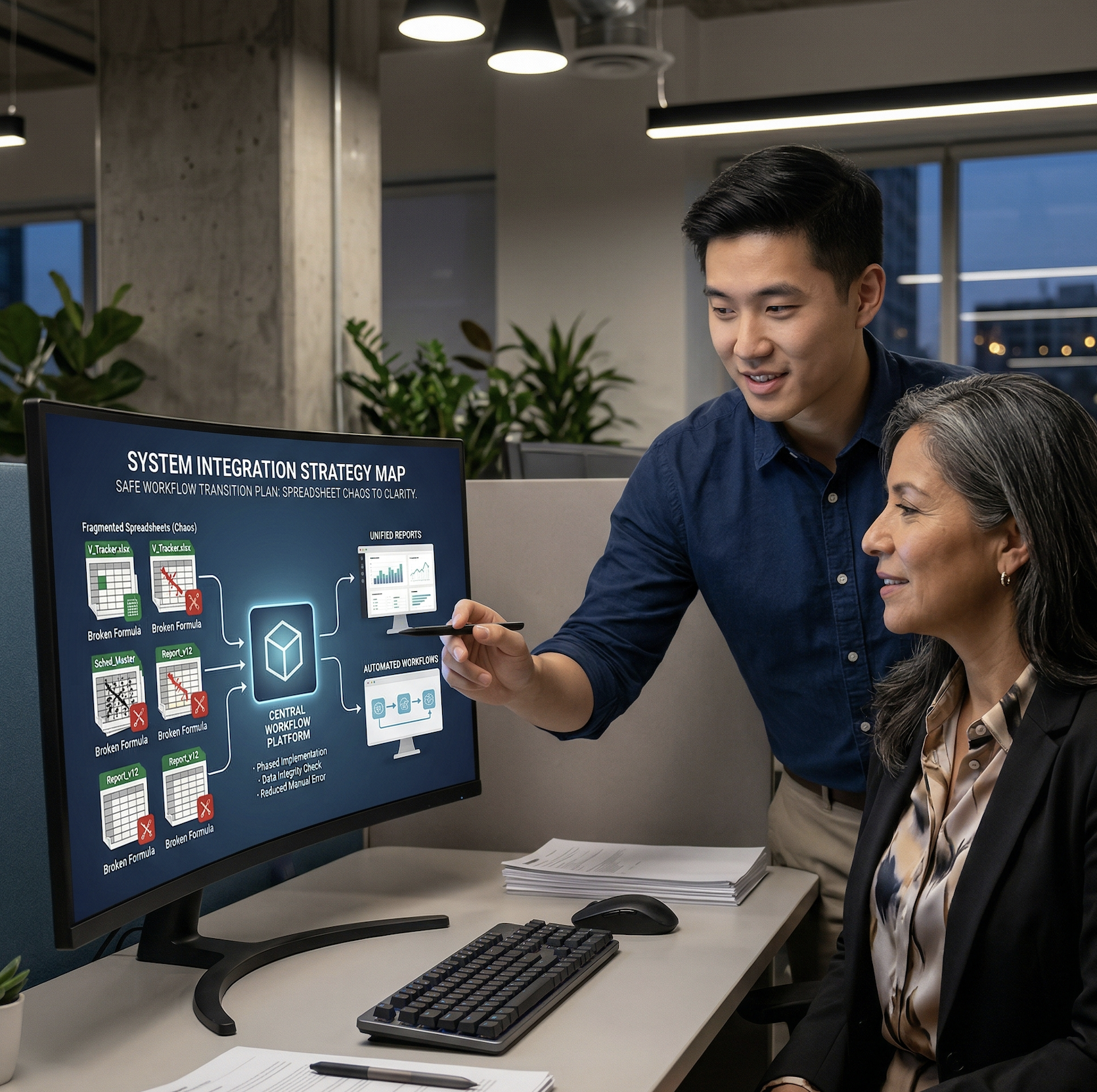
As organizations grow, collaboration often becomes more difficult because information becomes scattered across emails, spreadsheets, disconnected applications, and departmental tools.

The result is more meetings, more follow-up, and more time spent coordinating work instead of completing it.

Create a Shared Operational Environment

With Claris FileMaker, teams work from a centralized system instead of separate files or disconnected applications.

Sales, Operations, Purchasing, Finance, and Leadership can all access the information they need while viewing it through interfaces designed for their specific roles.

Everyone stays aligned without duplicating work.

Improve Communication Through Shared Visibility

Rather than asking for updates through email or chat, employees can view:

  • Project status

  • Production schedules

  • Customer information

  • Inventory levels

  • Order progress

  • Approval workflows

Because information updates in real time, everyone works from the same operational picture.

Automate Routine Collaboration

Many day-to-day interactions can be automated, including:

  • Approval requests

  • Status notifications

  • Task assignments

  • Report generation

  • Workflow routing

This reduces manual coordination while helping projects move more efficiently through the organization.

Support Every Department

Because FileMaker is highly customizable, each department can access the tools and information most relevant to its work while remaining connected to the same underlying data.

This creates better collaboration without sacrificing flexibility.

Why This Matters

The most productive organizations aren’t necessarily working harder. They’re spending less time searching for information, updating spreadsheets, and coordinating manual processes.

By creating a connected operational environment, Claris FileMaker allows teams to focus on meaningful work instead of administrative tasks.

Productivity and collaboration improve when information moves freely across the organization. With Claris FileMaker, businesses can centralize workflows, connect departments, and build systems that help teams work together more effectively as they continue to grow.


Interested in building a more connected workplace with Claris FileMaker? Reach out to Kyo Logic here.

Boosting Productivity and Collaboration with FileMaker

Organizations need tools that not only improve productivity but also facilitate collaboration among team members, ensuring effective teamwork and seamless communication. FileMaker, a versatile and powerful platform by Claris, offers robust features designed to enhance both productivity and collaboration.

Centralized Data Management

One of the most significant advantages of using FileMaker is its ability to centralize data. In many organizations, data is often scattered across various systems and platforms, leading to inefficiencies and miscommunication. FileMaker provides a unified platform where all relevant data can be stored, accessed, and managed from a single location. This centralization ensures that everyone on the team is working with the same information, reducing errors and improving consistency.

Real-Time Collaboration

FileMaker supports real-time collaboration, allowing multiple users to access and work on the same database simultaneously. This feature is particularly beneficial for teams that need to update information frequently or work on projects together. With FileMaker, team members can see changes made by others in real-time, ensuring that everyone is on the same page. This capability eliminates the need for back-and-forth emails or waiting for updates, significantly speeding up the workflow.

Customizable User Roles and Permissions

In any collaborative environment, it’s crucial to manage access to data and functionality based on user roles. FileMaker allows you to customize user roles and permissions, ensuring that team members have access to the information they need while protecting sensitive data. By assigning different levels of access, you can ensure that each team member can contribute effectively without compromising the security of your data.

Integrated Communication Tools

FileMaker can be integrated with various communication tools, such as email and instant messaging platforms, to streamline communication within the organization. For example, you can set up automatic email notifications for specific events or updates within the database, keeping team members informed without the need for manual intervention. This integration ensures that important information is communicated promptly and efficiently, reducing the likelihood of miscommunication.

Enhanced Project Management

Effective project management is critical for collaboration, and FileMaker excels in this area. The platform allows you to create custom project management applications tailored to your team’s specific needs. These applications can include features such as task assignments, progress tracking, and deadline reminders, ensuring that everyone knows their responsibilities and deadlines. By having a clear overview of the project status, teams can collaborate more effectively and ensure that projects are completed on time.

Mobile Access

In today’s mobile-first world, having access to your work on the go is essential. FileMaker’s mobile capabilities allow team members to access and update information from their smartphones or tablets, no matter where they are. This flexibility ensures that collaboration doesn’t stop when team members are out of the office, enhancing productivity and responsiveness.

Integrations with Other Tools

FileMaker’s ability to integrate with other tools and systems further enhances its collaborative capabilities. Whether it’s integrating with CRM systems, accounting software, or other business applications, FileMaker ensures that data flows seamlessly between different platforms. This integration reduces the need for manual data entry and ensures that all team members have access to up-to-date information across different systems.

FileMaker’s robust collaboration features make it an invaluable tool for organizations looking to improve teamwork and communication. By centralizing data, supporting real-time collaboration, and offering customizable user roles, FileMaker ensures that teams can work together more effectively. Additionally, its integrations with other tools and mobile capabilities make it a flexible and powerful solution for modern businesses. Investing in a custom FileMaker solution can transform your organization’s productivity and collaboration, leading to better outcomes and a more cohesive team.

At Kyo Logic, we specialize in creating custom FileMaker solutions that enhance productivity and collaboration for businesses of all sizes. Our expert team works closely with you to design and implement systems tailored to your unique needs, ensuring that your team can work together seamlessly and efficiently. Contact us today to learn more about how we can help your business thrive with a custom FileMaker solution.